Thelio Mira (Internal Overview)
Left side:
Chassis components:
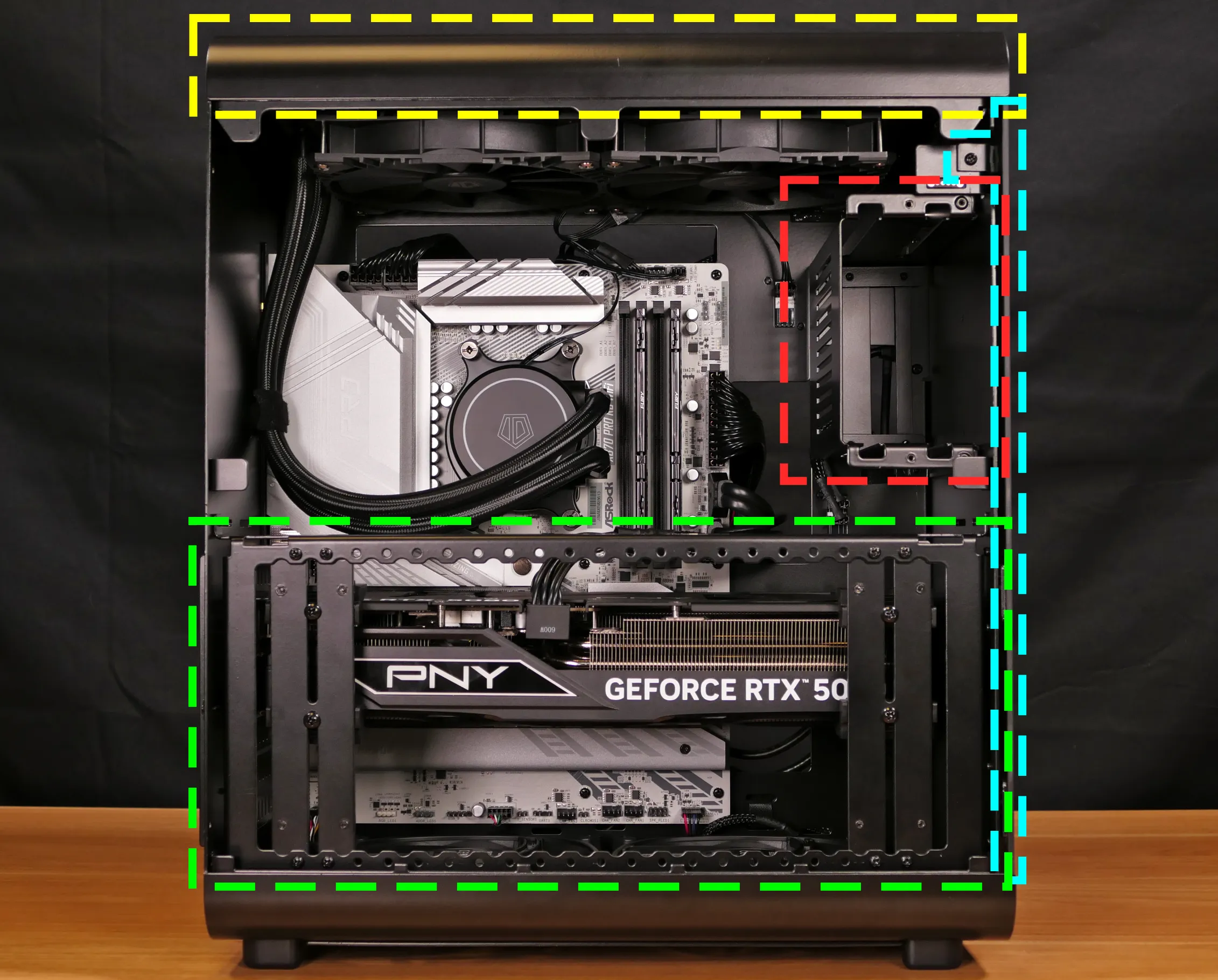
- Top shell is highlighted in yellow
- Front glass is highlighted in cyan
- GPU brace is highlighted in green
- Internal 3.5“ drive cage (optional add-on) is highlighted in red
Electronic components:
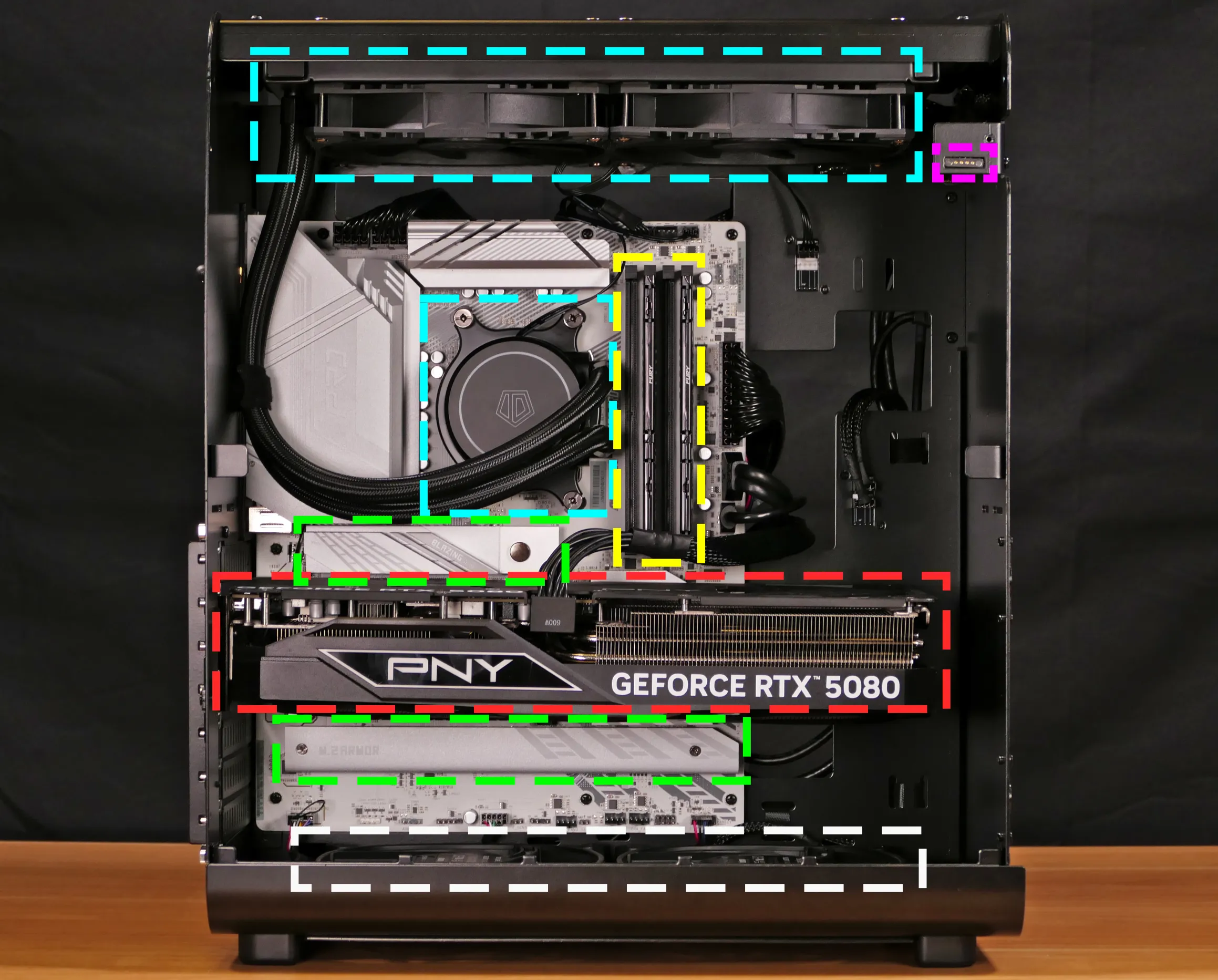
- CPU cooler pump and radiator/fans are highlighted in cyan
- RAM slots are highlighted in yellow
- M.2 slots are highlighted in green
- M.2 slots are undearneath the M.2 heatsinks
- GPU (in PCIe 5.0 x16 slot) is highlighted in red
- Wireless card and CMOS battery are underneath the GPU
- PCIe 4.0 x4 slot is between the GPU and the bottom M.2 slots
- Bottom case fans are highlighted in white
- Pogo pin contacts for side panel fans are highlighted in pink
Right side:
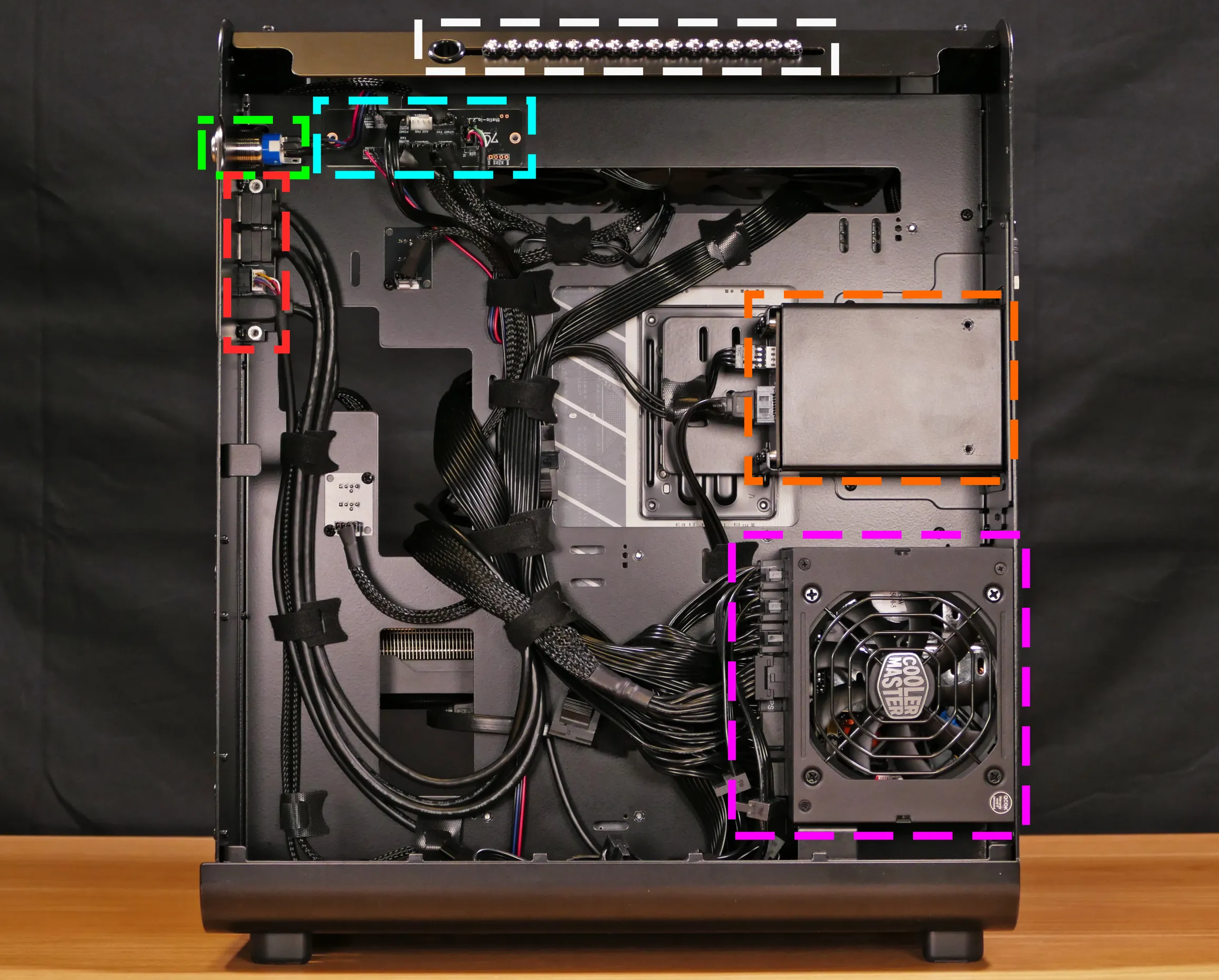
- Spare 2.5“ drive screws are highlighted in white
- Power button is highlighted in green
- Front I/O board is highlighted in red
- Thelio Io board is highlighted in cyan
- Rear-access 2.5“ drive cage is highlighted in orange
- Power supply is highlighted in pink
Front side:
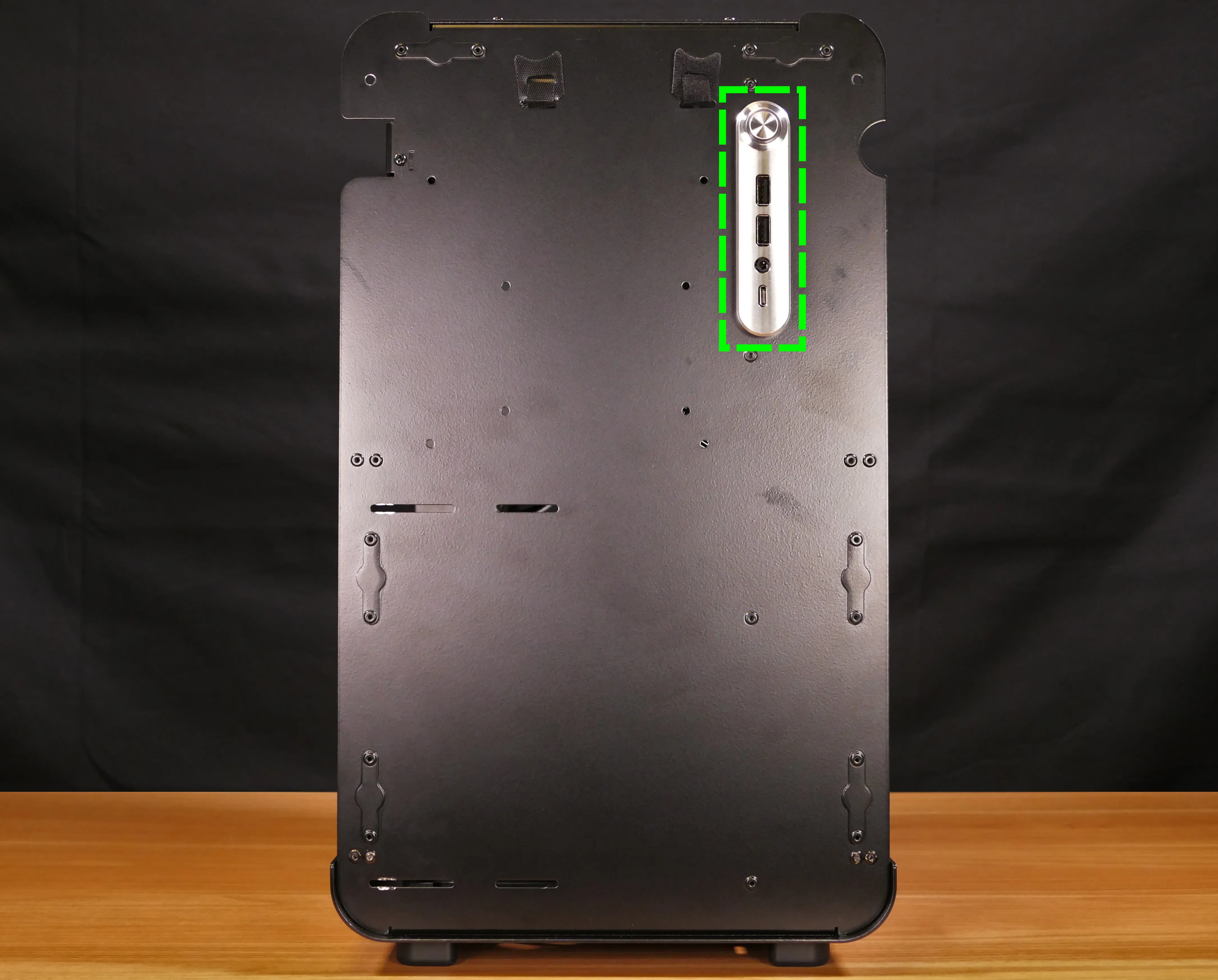
- Power button and front I/O ports are highlighted in green
Top:
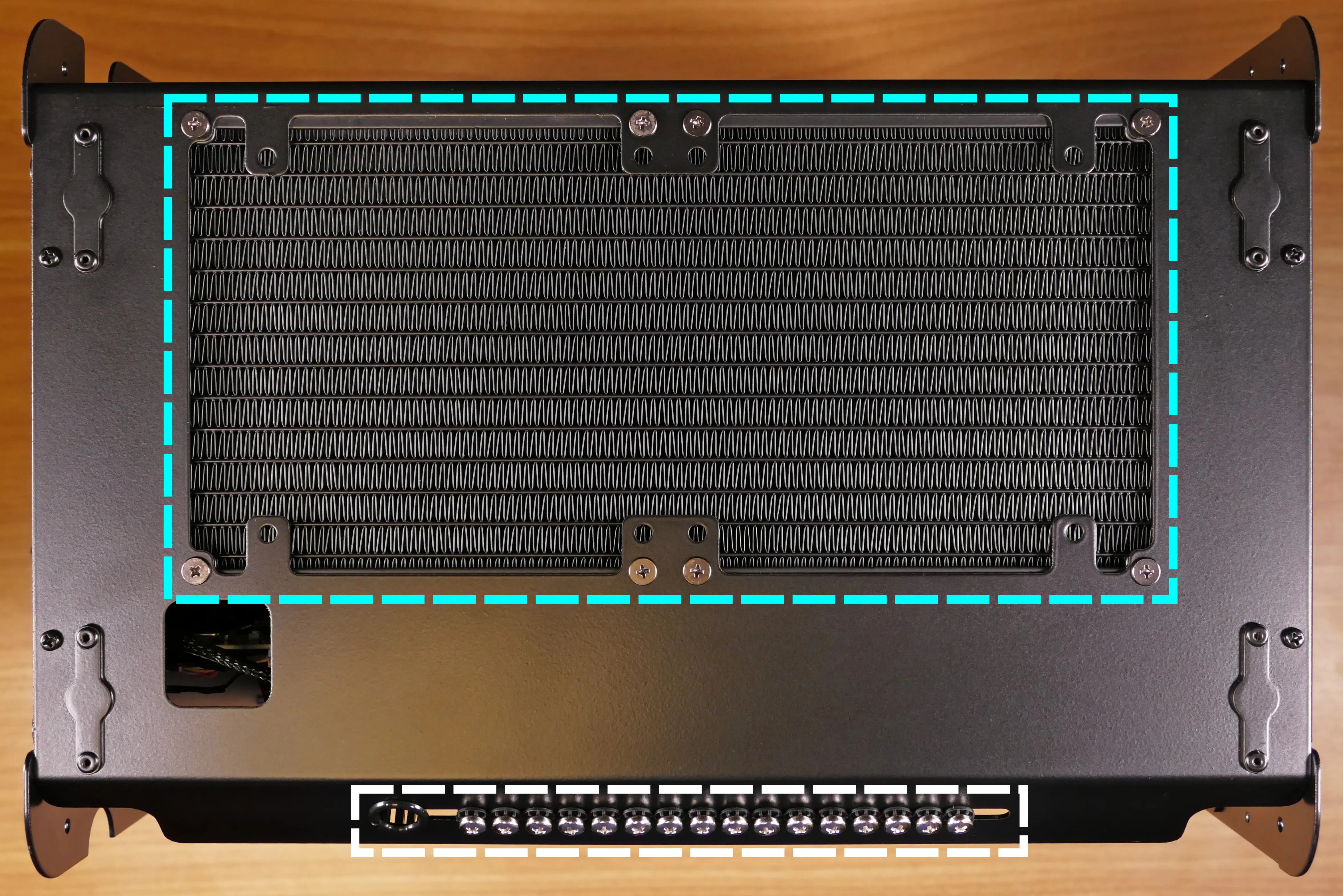
- CPU cooler radiator is highlighted in cyan
- Spare 2.5“ drive screws are highlighted in white
See the repairs page for detailed information about installing or replacing components.